

Case Study: The Alexa App
The Alexa app is a companion application designed to manage and set up Alexa-enabled devices, customize settings, and access a wide range of voice-assisted features.
I’m looking forward to elevate the design and user interface of the Alexa app for a more seamless and engaging user experience.
I plan to leverage Design Thinking as a strategic approach to enhance the Alexa app, focusing on user needs, creativity, and iterative development.
Please note that this is a case study intended for analysis and design purposes and does not represent an actual product or its functionalities.
USER RESEARCH
Empathize
To start designing a new UI for the Alexa App it’s important that I understand what users do, want and need. This is a crucial to design a product that not only looks good but works as well. Here are some of the findings from the user research I’ve conducted.


PROBLEM DEFINITION
DEFINE
To start designing a new UI for the Alexa App it’s important that I understand what users do, want and need. This is a crucial to design a product that not only looks good but works as well. Here are some of the findings from the user research I’ve conducted.
“It’s hard to navigate inside the Alexa App. It takes ages to find the correct feauture. It takes up to much time”
“The amount of text and information on one page in different font styles makes it hard to understand. I wish they would make it easier to understand.”
“I wish I could personalize the homescreen of the Alexa App so I could navigate easily to the features I most use.”
“There seems to be a lot of useless information on my homescreen. Same as the “explainotory” section that I don’t need to see after my first use. I have other priorities.”
PERSONA’S
DEFINE
Personas in UX design are fictional representations of typical users based on real data and research. They’re crafted to embody specific user segments and help design teams better understand and empathize with their target audience. Personas gather demographic details, behaviors, needs, and goals, creating a clear and relatable profile. These personas guide design decisions, ensuring that products or services meet the diverse needs of various user groups. They humanize users, fostering a deeper understanding of their motivations and enabling designers to create more user-centric experiences.
Here’s one of the persona’s I used for this case study.

USER JOURNEY
DEFINE
To start designing a new UI for the Alexa App it’s important that I understand what users do, want and need. This is a crucial to design a product that not only looks good but works as well. Here are some of the findings from the user research I’ve conducted.

CARD SORTING
IDEATE
To get a clear view on how every screen/page has to be structured I like to use Card Sorting. I do this so I have a clear vision of what information goes where.

WIREFRAMES
PROTOTYPING


DESIGN
PROTOTYPING


A/B TEST
TEST
A.

B.
- A. 24%
- B. 76%
In 2021 I already made a design for the Alexa App. I did that without the research I conducted for this design. I asked the same people I did the user test with, which one they would prefer. 24% liked my 2021 design while 76% choose for option B.
FEEDBACK & ITERATIONS
During my process I’ve asked my test panel and my peers to review what I designed and to tell me if they had feedback.
“I do like the most important buttons. What does bother me is that they are inconsistent in style with the other buttons. The other buttons are white while these are transparant.”
“I think the bottom navigation is really well done. The only part that I’m missing is some kind of feedback to let me know on which page I am currently.”
“I’m using my Alexa device for weather information every day. What I am missing in your design is information telling me if it’s sunny or raining.”
“I like that I can read the latest news on my home screen. But it does seem like a lot of clutter with text. I think images can really benefit your design”


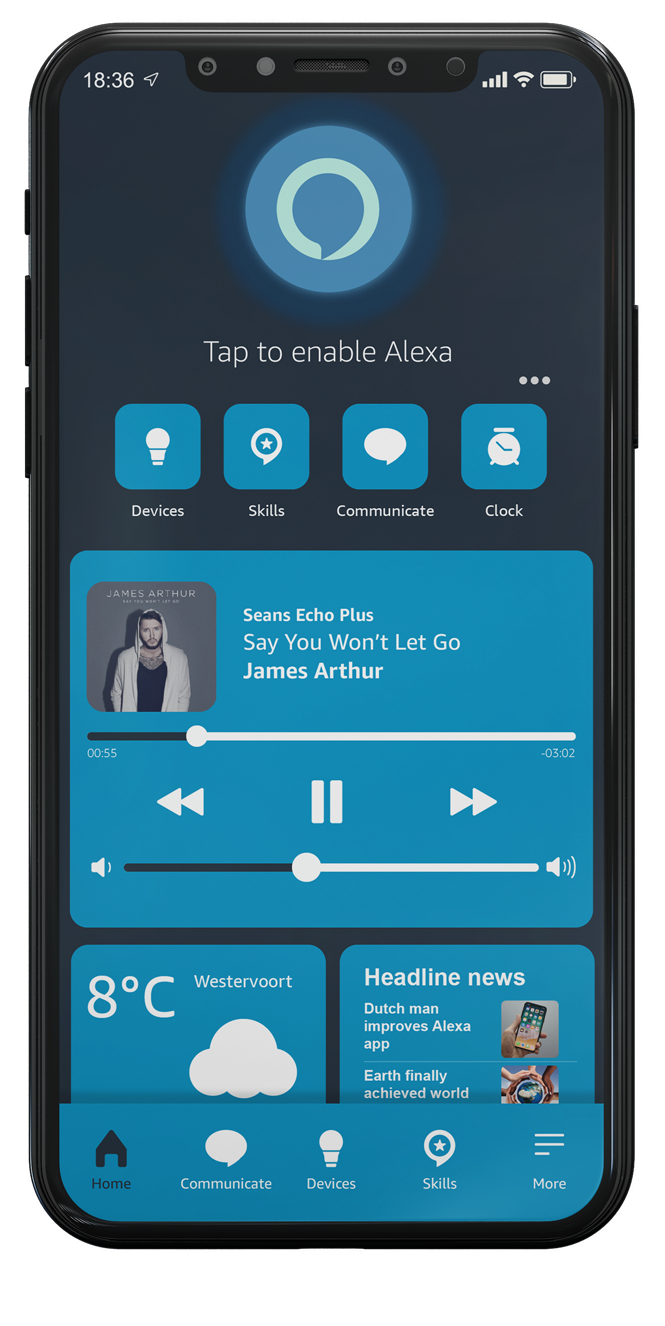
Final design after processing the feedback!
(as shown before…  )
)
